
Food Truck Menu Guide: How to Build a Short Menu That Sells Fast
The Duckhub team builds QR menu and online ordering software, run through your own AI assistant (ChatGPT, Claude), used by cafes, bars, and restaurants. We write practical guides based on what we see working across thousands of published menus.
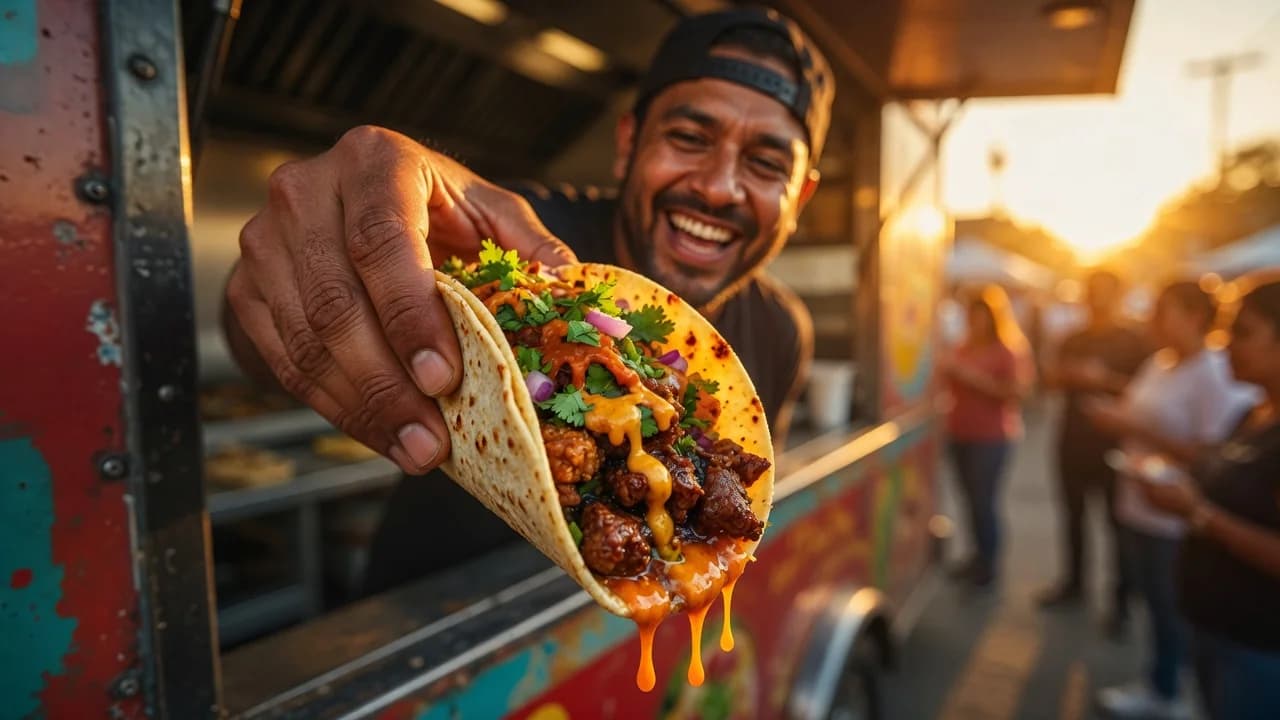
A food truck menu sells best when it is short, fast to read, and easy to change: 5 to 12 items built around one prep line, priced in round numbers, displayed on a board guests can read from the back of the queue, and mirrored online as a QR menu you update without reprinting.
TL;DR
- Keep the menu to 5–12 items that share ingredients and one cooking workflow. Short menus cut prep time, waste, and guest hesitation.
- Design for a 30-second decision: 3 or 4 headline items, big prices, names that explain themselves.
- Run a physical board and a QR menu together. The board pulls people in; the QR menu carries photos, languages, and instant updates.
- Rotate by location, event, and weather digitally instead of reprinting, and put the same menu link in your Instagram and TikTok bios.
Why does a small food truck menu outsell a big one?
A small food truck menu of 5 to 12 items outsells a big one because it speeds up every part of the operation: fewer dishes mean faster prep, shorter tickets, less inventory to buy and waste, and quicker decisions in the queue. The line moves faster, so hourly revenue goes up.
The mechanics are simple. A guest scanning 8 items decides in seconds; a guest scanning 30 stalls, asks questions, and holds the line. Behind the window, a short menu means one focused prep line instead of three, so a two-person crew can push out orders at a steady rhythm.
Inventory follows the same logic. A tight menu built from 10 to 15 shared ingredients fits in a truck-sized fridge, spoils less, and lets you buy in efficient quantities.
How do you design a menu for a 30-second ordering decision?
Design your food truck menu so a guest can choose while standing in line: a clear hierarchy of 3 or 4 headline items, short names, one line of description at most, and prices in big type. If people decide before they reach the window, the queue never stalls.
Structure the board top-down the way people actually read it. Signature items first and biggest, sides and drinks smaller below, and one clearly marked combo for the guest who does not want to think at all. Names should explain themselves (“Smoked Brisket Tacos”, not “The Undertaker”) because nobody in a queue wants to ask what something is.
Cut anything that forces a follow-up question. If an item needs three lines of explanation or five customization choices, it belongs on a sit-down menu, not a truck.
Should you use a menu board on the truck, a QR menu, or both?
Run both. A physical menu board is the fastest read for the person at the window, while a QR menu handles everything the board cannot: photos, allergens, languages, and instant updates. The board sells the top 3 items; the QR menu carries the detail.
| Menu board on the truck | QR menu | Both together | |
|---|---|---|---|
| Readable from the back of the queue | Yes, if the type is big | No, requires a scan | Board pulls, QR informs |
| Price or item changes | Repaint or reprint | Edit and republish in minutes | Board stays generic, QR carries prices |
| Sold-out items mid-service | Tape over the board | One toggle in the dashboard | Toggle it off, mention it at the window |
| Photos and dietary details | No room | Full detail per item | QR carries them |
| Multiple languages | One language only | Built-in language switcher | QR handles every language |
| Reaches people before they arrive | No | Yes, same link everywhere | Yes |
Print the QR code large on the truck side and on the order window, so people waiting can browse details and decide early. Our step-by-step guide to making a QR code menu covers the setup, including print sizes that scan reliably.
How do you rotate the menu by location and event without reprinting?
Rotate your food truck menu digitally instead of reprinting: keep the painted board generic (categories and signature items), and put the full, changeable menu behind a QR code. Then a festival menu, an office-lunch menu, and a late-night menu are edits, not print jobs.
In practice this means your digital menu lives at a permanent URL (on Duckhub, yourvenue.duck-hub.com), and the printed QR code never changes. Before a festival, hide the slow lunch items and add the two high-margin specials; back at the office park on Monday, flip it back. When the brisket runs out at 1 pm, the sold-out toggle removes it from the live menu in seconds.
Publishing with rollback is the safety net here: if the event menu you pushed has a wrong price, you restore the previous version instead of hand-editing under pressure.
How should weather and seasons shape a food truck menu?
Weather moves a food truck menu more than almost any other factor: hot days sell cold drinks, frozen desserts, and lighter mains, while cold or wet days sell soups, hot drinks, and comfort food. Plan a warm-weather and a cold-weather variant of your core menu in advance.
The trick is to build both variants from the same base ingredients so a forecast change does not mean a new supplier order. The pulled pork in a summer slaw bowl becomes a winter melt; the lemonade fruit tops a hot dessert.
Seasonality works the same way over longer cycles. Two or three rotating seasonal items keep regulars curious and let you ride cheap in-season produce, while the 5 or 6 signatures stay fixed. Because the changes happen in your digital menu, a heatwave menu swap takes minutes, not a trip to the print shop.
Can Instagram and TikTok work as a menu channel for a moving truck?
For a truck that moves, social media doubles as a menu channel. Put your menu link in your Instagram and TikTok bio so anyone who finds you online can see today’s items and prices before they ever find the truck, then post the day’s location alongside it.
This solves the discovery problem fixed-location restaurants never have: your customers need to know both where you are and what you are serving today. A morning story with the pin drop and “tap the bio link for today’s menu” answers both in one post, and the link never breaks because the menu URL is permanent.
It also compounds. Every viral video, every tag, every share carries a working path to a menu with live prices, even for a follower who saves the post and shows up weeks later.
How should you price a food truck menu?
Price a food truck menu in round numbers: whole amounts that make cash change instant and card totals predictable. A $9 taco plate serves faster than an $8.75 one, and bundling a main, a side, and a drink into one round-priced combo speeds the line further.
The .99 pricing that works on supermarket shelves works against you in a queue. Odd prices slow mental math (“two of those and a drink is… what?”), slow change-making at a cash-heavy event, and produce card totals that feel arbitrary. Round pricing, ideally tax-inclusive where local rules allow, lets guests compute their total while still in line.
Keep the number of distinct price points low as well. A menu where most items cost $6, $9, or $12 is easier to decide from than one with nine different prices, and it makes your combos obvious value instead of a math exercise.
How can AI help you build and run a food truck menu?
AI now handles the slowest parts of menu work: building the digital menu from a photo of your current board, writing short appetite-driven descriptions, and translating everything for multicultural events. According to the National Restaurant Association’s 2026 State of the Restaurant Industry report, 26% of operators say they are using AI-related tools.
The photo workflow matters most for trucks, because most trucks have a board but no spreadsheet. You photograph the board, hand the image to an AI assistant, and it extracts items, prices, and categories into a structured digital menu; the full walkthrough is in our guide to creating a restaurant menu with AI. Duck Hub MCP allows ChatGPT, Claude and other AI assistants to create a complete restaurant menu directly inside Duck Hub. The connection setup takes a few minutes.
For festival trucks, translation is the other quiet win: AI can produce a Spanish, Ukrainian, or Vietnamese version of your menu behind the same QR code, as covered in our piece on AI menu translation, and guests pick their language with the built-in switcher.
Build your food truck’s digital menu free on Duckhub’s Egg plan (70 products, no card required) and keep 0% commission on every order at duck-hub.com.